Strategic Insights Generator
Turn Visa intelligence into actionable marketing insight.
AI Transformations
Generate blog posts, emails and social media posts in the Visa voice and on demand.
Note: Must be on a network in a Visa office or on VPN.
Notice: This first release will continue improving based on marketer feedback.
Let us hear from you!How it helps you
Generate a first draft, then ask for two or three alternatives. Built-in guidance keeps things on message whether writing comes naturally to you or not.
Start by editing a draft instead of starting from scratch.
Explore multiple angles and pick the strongest one. Easily scale variations or language translations.
Messaging outputs are trained on Visa guides and aligned with Visa standards.
Optimization approach is built into every draft.
How to get started
AI Quick Start Guides are designed to help you get the most out of our proprietary Visa AI products from the start. Come back whenever you need a refresher and see below for helpful FAQs.
AI Quick Start Guide
Copy Generator
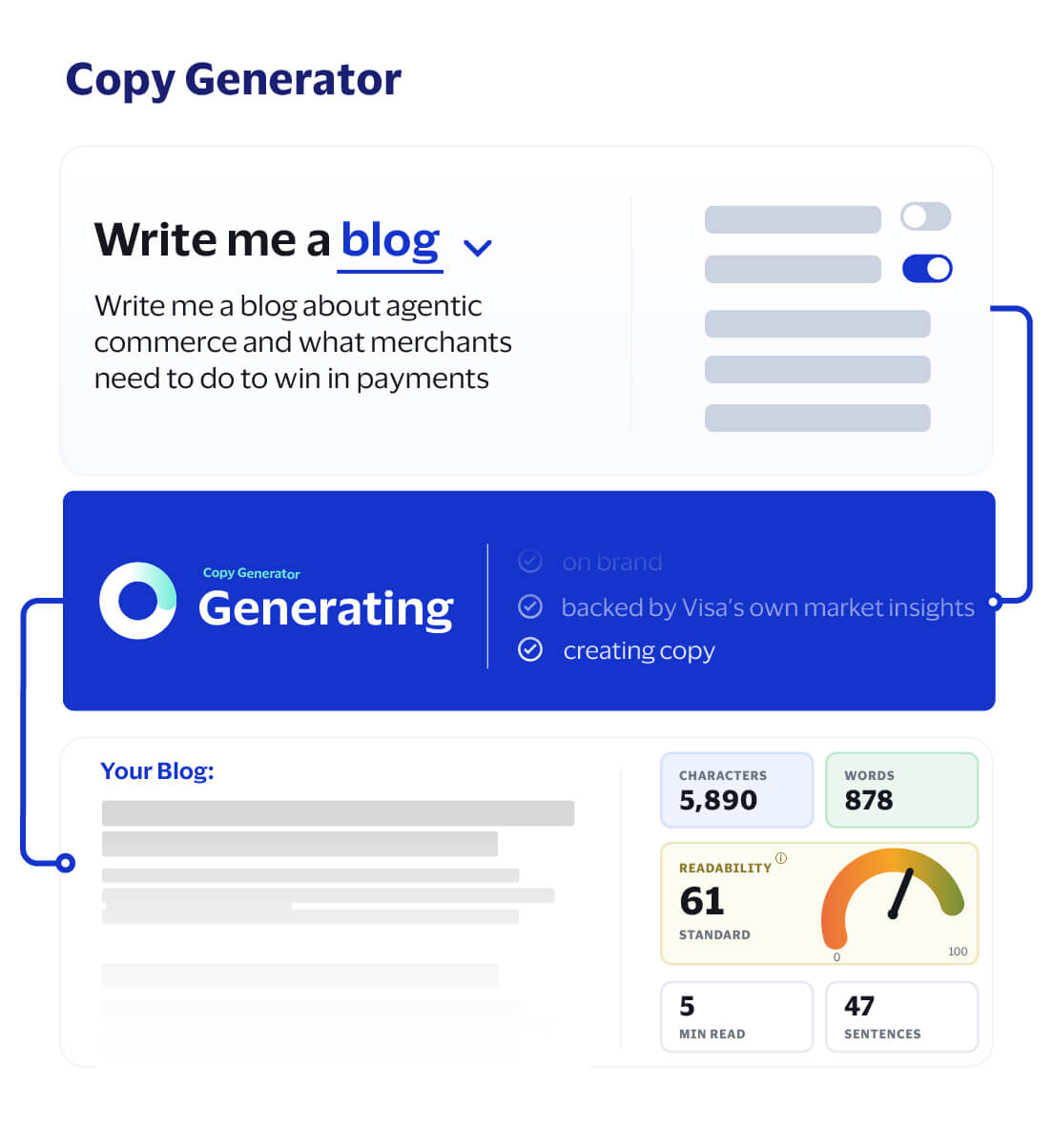
Roadmap
What's live now and what's next for Copy Generator, from core drafting workflows to expanded long-form content templates.
Blog posts, emails and social media posts Live
Generate first-draft marketing copy across the three current content types, then refine tone, structure, length and audience fit before sharing.
Brand voice, editing and optimization tools Live
Use guided inputs, predefined tone options, AI-assisted editing, citations, content statistics and SEO keywords to improve draft quality and support review.
Multilingual and localization support Live
Generate or adapt content for target markets with explicit language, audience and tone guidance.
Workflow integration: insight-to-copy agent Coming soon
Connect Strategic Insights outputs directly into Copy Generator through an agent workflow, so marketers can move from research-backed strategy to first-draft content without re-copying, restating or rebuilding context.
Expanded template library Coming soon
Add more starting points for repeatable marketing use cases, including case studies, thought leadership papers and additional channel formats.
Keep going
Turn Visa intelligence into actionable marketing insight.
Build tailored sales materials, fast.
Move from campaign idea to ready-to-review brief in minutes.
Turn client requirements into stronger RFP responses, faster.
FAQs
Copy Generator is an AI-powered content generation tool within the Visa Marketing AI ecosystem designed to help Visa Marketers quickly create blog posts, social media posts, and marketing emails aligned to brand voice, tone and audience.
You can use Copy Generator to draft blog posts, create social media posts, generate marketing emails, refine content using AI-assisted editing tools, export finished outputs as PDFs and review citations and content statistics.
Copy Generator is intended for Visa Marketers who need to create marketing content more efficiently, especially for brand marketing, product marketing, campaign execution, social content, thought leadership and email communications.
At this time, Copy Generator is open to all Visa employees and does not require a separate login. Access it at cs-marketingai.trusted.visa.com/copy.
No formal training is required to begin using the tool, but results improve when you choose the right content type, provide strong context, use brand voice appropriately and iterate outputs instead of expecting a perfect first draft.
Before generating content, it helps to know your content type (blog, email, or social media post), your audience, your objective, your preferred tone and any personalized instructions you want the AI to follow.
Brand Voice allows you to generate content aligned with predefined Visa messaging, vocabulary and tone expectations.
Selecting a Brand Voice helps the tool to produce content that is more aligned to the intended messaging style and reduces the amount of editing needed afterward.
To generate a blog post:
Custom Outline allows you to define the structure of the blog, such as Introduction, Main Points and Conclusion. This is useful when you want more control over how the content is organized.
Yes. After content is generated, you can highlight a section, right-click and choose Improve Writing, Change Tone or Adjust Length.
Use the Rich Text Editor for formatting, View Sources for citations and Content Statistics and SEO keywords for optimization.
To generate an email:
Yes. You can improve writing, change tone, adjust length, format content in the rich text editor, review citations and export to PDF.
Review for accuracy, tone, CTA clarity, audience fit and supporting citations if relevant.
Note that a human reviewer must always be in the loop when AI is used to generate content.
To generate social media content:
The Social Media workflow supports platform-specific content generation. The current experience includes LinkedIn, Twitter, Facebook and Instagram as supported post types. Additional supported platforms may vary by release and configuration.
Users may use either source independently or both together.
Use:
Post Length determines the amount of content generated:
Short posts support concise updates, while longer posts support thought leadership and storytelling content.
Voice determines the writing style and tone of the generated content. Examples may include:
Target Language determines the language used for content generation.
Review:
All generated content should be treated as draft content and reviewed before publication.
Look for claims that are not clearly supported by the cited sources. If a statement cannot be verified in the source material, treat it as unconfirmed and validate before using it.
Always review Generative AI outputs for relevance and review all sources.
Hallucinations are becoming rarer, but they do happen. You as the human in the loop are always responsible for reviewing sources and analysis.
Try refining the topic or subject, adding stronger audience/context details, using Enhance with AI, adding additional information and regenerating the output. Or edit manually to personalize content.
You can change the selected tone if applicable, use Change Tone on highlighted text or add more explicit tone guidance in Personalized Instructions.
Highlight the section, right-click, and use Improve Writing, Change Tone, or Adjust Length. This is usually faster than regenerating the entire output.
Some capabilities may vary depending on product rollout stage, environment, or active configuration. Refreshing the page may help. For technical support, contact GDLSupportCopyGenerator@visa.com.
Send feedback when output quality is poor, citations seem weak or irrelevant, the workflow is confusing, or a feature is missing or behaving unexpectedly.
Select the correct Brand Voice first, use Enhance with AI when your input is weak, be explicit about audience/objective/tone to guide the draft, iterate outputs instead of rewriting from scratch and review sources and statistics for accuracy and relevance before export.